Frametile
Is Frametile a good Cloudinary alternative?
If most of your Cloudinary use is resizing, cropping, converting and decorating images by URL, yes, and you do not have to relearn anything. Frametile speaks the same token language: w_600,h_400,c_fill, f_auto,q_auto, e_sepia, l_text:Roboto_72_bold:Fresh, e_background_removal. Most strings you already have work as they are.
- Your tokens carry over. Crop modes, formats, quality, effects, text overlays and AI background removal use the syntax you already know.
- Built for agencies. An admin panel for users and personal API keys means each client or project can have its own key.
- Simple to run. Every URL is generated once and then served from storage, so a few standard sizes cover almost any site.

What do the same transformations look like in each?
These are the strings we see most. The first column is the transformation as you would write it for Cloudinary. The second is what you use with Frametile.
| Job | Cloudinary | Frametile |
|---|---|---|
| Card thumbnail |
w_400,h_300,c_fill/f_auto/q_auto
|
w_400,h_300,c_fill/f_auto,q_auto
|
| Product photo on white |
w_600,h_600,c_pad,b_white
|
w_600,h_600,c_pad,b_white
|
| Retina hero |
w_1200,ar_16:9,c_fill,dpr_2.0
|
w_1200,ar_16:9,c_fill,dpr_2.0
|
| Rounded avatar |
w_200,h_200,c_thumb,r_max
|
w_200,h_200,c_thumb,r_40
|
| Sepia tint |
e_sepia
|
e_sepia
|
| Text on a photo |
l_text:Roboto_72_bold:Fresh
|
l_text:Roboto_72_bold:Fresh
|
| Cut out the background |
e_background_removal
|
e_background_removal
|
| Smart crop to the subject |
c_fill,g_auto,w_400,h_300
|
w_400,h_300,c_fill,g_north <em>(choose the gravity yourself)</em>
|
Most rows are identical. The last two are the ones to check by hand: Frametile has no face or subject detection, so you choose the gravity, and a fully round corner is a number (r_40) instead of r_max.
Why do agencies pick Frametile?
Agencies run many sites and many people. Frametile is built around that:
- A key per person or client. Admins create users and manage their personal API keys from one panel, and can block or unblock access.
- Organized base images. Keep originals in folders, so a client's images stay together.
- No relearning. A developer who has written a Cloudinary URL can write a Frametile one on day one.
- Every example shows its token. The examples gallery lists the exact string behind each image, so a designer can copy it straight into a template.
How is the URL different?
The tokens look alike. Their place in the URL is different. A Cloudinary delivery URL puts the transformation between upload and the image name. A Frametile URL ends with the image path, then the transformations.
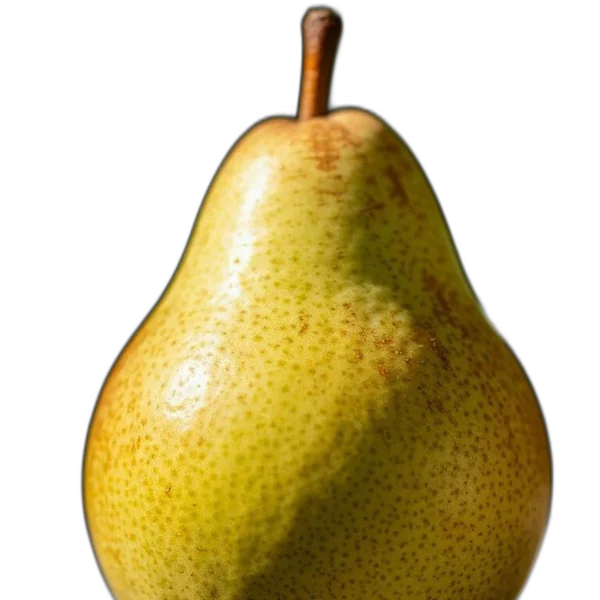
Cloudinary:  https://res.cloudinary.com/CLOUD/image/upload/w_600,h_400,c_fill/pear.jpg
Frametile: https://frametile.com/api/YOUR_API_KEY/images/fruit/pear/w_600,h_400,c_fillParameters in one step are joined with commas, and steps are separated by / and run left to right, so w_600,h_400,c_fill/e_sepia crops first and tints second. Every Frametile request carries your personal API key in the path.
Which tokens work in Frametile?
These are the tokens we document and use in our own examples. The docs have the full list.
| What you want | Token | Notes |
|---|---|---|
| Width, height |
w_600,h_400
|
Pixels. |
| Crop modes |
c_fill, c_fit, c_pad, c_scale, c_crop, c_thumb
|
Plus the safe variants c_limit, c_lfill, c_lpad. Default is c_fit.
|
| Aspect ratio |
w_1200,ar_16:9
|
Give one side and a ratio. |
| Pixel density |
dpr_2.0
|
Doubles the output size for retina screens. |
| Output format and quality |
f_auto, f_webp, q_80, q_auto
|
See WebP vs AVIF vs JPEG. |
| Gravity |
g_north, g_south_east
|
Edges and corners. |
| Background, border, radius |
b_white, bo_6px_white, r_40
|
Used with c_pad and for rounded corners.
|
| Effects |
e_sepia, e_grayscale, e_blur:600, e_sharpen, e_vignette
|
Many more in the docs. |
| Text overlay |
l_text:Roboto_72_bold:Fresh
|
See adding text by URL. |
| AI background removal |
e_background_removal
|
Returns a PNG. See the background removal guide. |
| Named transformations |
t_bg-rem
|
Save a token set once, reuse it by name. |
How does the price compare with Cloudinary?
Frametile gives you the same monthly credits as Cloudinary's Free, Plus and Advanced plans for about 80% less. One Frametile credit covers 1,000 photos generated. On Cloudinary a credit covers 1,000 transformations, or 1 GB of storage, or 1 GB of image delivery.
| Credits a month | Cloudinary | Frametile | Frametile limits |
|---|---|---|---|
| 25 | Free, $0 | Free, $0 | 1 folder, 25 photos |
| 225 | Plus, $89 a month billed annually ($99 monthly) | Starter, $17 a month (about 81% less than annual Plus) | 10 folders, 50 photos each |
| 600 | Advanced, $224 a month billed annually ($249 monthly) | Agency, $45 a month (about 80% less than annual Advanced) | 25 folders, 100 photos each |
Cloudinary prices are from its pricing page as of 29 October 2026. They change, so check them before you decide. Frametile plans also limit folders and photos, so make sure the limits fit your library before you switch. Cloudinary is a trademark of its owner, and Frametile is not affiliated with it. See all Frametile plans.
What should you check before you switch?
A comparison you cannot trust is worthless, so here is where Frametile is different:
- No face or subject detection.
g_autoandg_faceare accepted so existing URLs do not break, but they behave likeg_center. Choose a gravity yourself where the subject is off-centre. - A focused transformation API, not a full media platform. If you depend on Cloudinary for video pipelines or its wider add-on ecosystem, check our docs for what is covered first.
- Every URL carries an API key. That keeps generated images private to your account, but key-free public URLs are not the default.
Prices change, so read each vendor's current pricing page, ours included.
How do you move over in an afternoon?
- List your transformation strings. Search your templates for
/image/upload/and copy the part after it. - Upload ten of your most important images to a folder and open one of the URLs.
- Paste your strings after the image path. Build the new URL as image path, then
/, then tokens. A small helper function in your code is usually enough. - Fix the two known differences: pick explicit gravity where you used
g_autoorg_face, and user_40style radii instead ofr_max. - Compare side by side before you move traffic.
Use a few standard widths such as 320, 640, 960 and 1280. Each distinct URL is generated once and then served from storage, so fewer variants means faster pages and a tidier cache.
Common questions
Will my existing Cloudinary transformation strings work?
Resize, crop, format, quality, effect and text overlay strings that use the tokens above usually work unchanged. Test anything outside the documented list first.
Can I try Frametile without moving anything?
Yes. Upload a few images and run the same tokens next to your current setup.
Who is Frametile for?
Agencies and teams that mostly resize, crop, convert and decorate images by URL and want a focused service with simple access control.
Try it on your own images
Upload a photo, copy its URL and start editing the URL. Every parameter above works the same way.