Frametile
What is the best way to compress images for a website?
Resize the image to the size it is shown, convert it to WebP, and set quality to about 80. In our test, WebP at the same size was 35% smaller than JPEG, and JPEG at quality 80 was 4.7 times smaller than at quality 100. With an image compressor API you do all three by adding w_800,f_webp,q_80 to the image URL, so there are no files to export and re-upload.
To be clear about what Frametile is: it is not a drag-and-drop compressor page. It is an image API that compresses every image you request through a URL. If you need to shrink one photo once, a desktop or browser tool is quicker. If you serve hundreds of images on a site or app, a URL is less work.
How does an image compressor work?
Every image compressor uses some mix of three levers. Knowing which one does the work helps you choose settings:
| Lever | What it does | Typical saving |
|---|---|---|
| Fewer pixels | Resizes a 4000 pixel camera photo to the 800 pixels the page actually shows. | Usually the biggest. Pixel count drops with the square of the width. |
| Better format | Encodes the same pixels as WebP or AVIF instead of JPEG or PNG. | 35% to 47% against JPEG in our test. |
| Lower quality | Lossy compression throws away detail the eye is unlikely to notice. | Large between 100 and 80, smaller below that. |
Lossy compression (JPEG, lossy WebP, AVIF) removes data for good and gives the smallest files. Lossless compression (PNG) keeps every pixel and is right for screenshots, logos and diagrams, but makes photos very large.
How much can you compress an image without losing quality?
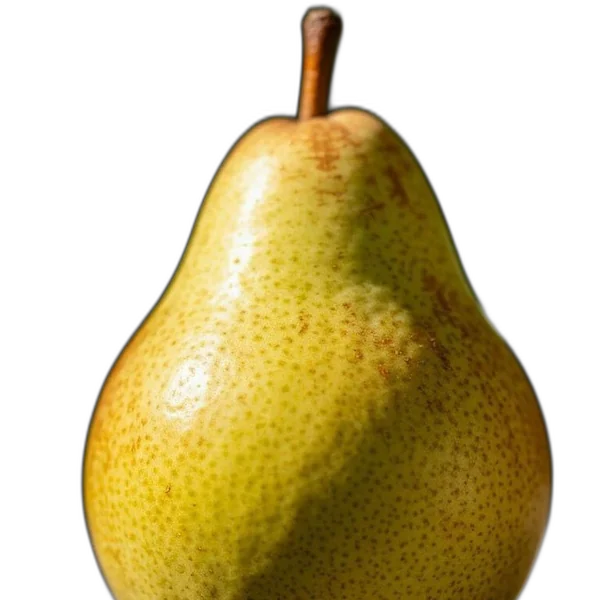
We took the sample pear photo from the Frametile docs, resized it to 480 pixels wide, and changed only the output settings. Every file was made by the Frametile engine and measured as delivered.
| Format | File size | vs JPEG |
|---|---|---|
f_avif
|
33.4 KB | 47% smaller |
f_webp
|
41.3 KB | 35% smaller |
f_jpg
|
63.6 KB | baseline |
f_png
|
439.0 KB | 6.9 times larger |
| JPEG quality | File size | vs q_80 |
|---|---|---|
q_20
|
15.3 KB | 65% smaller |
q_50
|
25.6 KB | 41% smaller |
q_80
|
43.1 KB | baseline |
q_auto (85)
|
50.5 KB | 17% larger |
q_100
|
200.7 KB | 4.7 times larger |
At normal viewing size most people cannot tell quality 80 from 100, yet 100 cost almost five times the bytes. That gap is the free part of compression. Below 50 you start to see blocks and smearing, so go there only for small thumbnails. The full format comparison is in WebP vs AVIF vs JPEG.
How do you compress an image by URL?
Upload the original once. Then add compression settings to its URL. The original is never changed, and each new URL is generated once and then served from storage.
https://frametile.com/api/YOUR_API_KEY/images/fruit/pear/w_800,f_webp,q_80Read it left to right: resize to 800 pixels wide, output WebP, quality 80. If you do not want to choose, f_auto,q_auto returns WebP at quality 85, or PNG when the image has transparent areas:
https://frametile.com/api/YOUR_API_KEY/images/fruit/pear/w_800,f_auto,q_autoFor the smallest files, offer AVIF first and let the browser pick:
<picture>
  <source type="image/avif" srcset="https://frametile.com/api/YOUR_API_KEY/images/fruit/pear/w_800,f_avif">
  <source type="image/webp" srcset="https://frametile.com/api/YOUR_API_KEY/images/fruit/pear/w_800,f_webp,q_80">
  <img src="https://frametile.com/api/YOUR_API_KEY/images/fruit/pear/w_800,f_jpg,q_80" width="800" height="600" alt="A pear">
</picture>Put f_ and q_ in the same step as the resize, as above. Note that q_ applies to JPEG and WebP output.
Which compression settings should you use?
| Image | Tokens | Why |
|---|---|---|
| Blog or article photo |
w_1200,f_webp,q_80
|
Clean at full column width, small file. |
| Product grid thumbnail |
w_400,h_400,c_fill,f_webp,q_70
|
Shown small, so artefacts are hard to see. |
| Hero or zoom image |
w_1600,f_webp,q_85
|
Fine texture and smooth skies need more detail. |
| Retina screens |
w_600,dpr_2.0,f_webp,q_70
|
Twice the pixels, so a lower quality still looks sharp. |
| Logo with transparency |
w_300,f_webp
|
Keeps transparency and is far lighter than PNG. |
| Email newsletter |
w_600,f_jpg,q_80
|
Some email clients still do not show WebP. |
Treat these as starting points. Open two URLs that differ only in q_ side by side and zoom in on the busiest part of the photo. Your eyes beat any table.
Why should you resize before you compress?
Because quality settings cannot fix a photo that is far too big. A 4000 pixel wide photo has 25 times the pixels of an 800 pixel one. Even at quality 50 it will usually be heavier than the 800 pixel version at quality 80, and the visitor sees no difference on a normal screen.
So the order is always: size first, then format, then quality. The crop modes and retina sizing are covered in how to resize and crop images by URL. For a quick one-off resize without code, try the free image resizer.
Image compressor tool or image compressor API?
| Online or desktop tool | Image API by URL | |
|---|---|---|
| Best for | A handful of files, done once. | Websites, stores and apps with many images. |
| Workflow | Upload, adjust, download, re-upload. | Upload once, change the URL. |
| Change settings later | Redo every file. | Edit the URL. The original stays untouched. |
| Several sizes and formats | One export per size and format. | One URL per size and format, made on first request. |
| Cost | Often free. | Counts against your plan's monthly transformations. |
Many teams use both: a tool for the odd file, an API for everything that ships on the site. If you are comparing APIs, see Cloudinary pricing compared. Frametile reads the same f_auto,q_auto tokens, and plans are on the pricing page.
Common questions about image compression
Does compressing an image reduce its quality?
Lossy compression removes some detail, but at quality 75 to 85 the loss is hard to see at normal size. Lossless compression, as in PNG, keeps every pixel but saves far less on photos.
What is a good file size for a web image?
There is no single number, but a full-width photo under about 200 KB and a thumbnail under 30 KB is a good target. Our 480 pixel test photo was 41 KB as WebP.
Is my original image changed?
No. The uploaded original is kept as it is. Every URL with different settings creates a new image.
Can I compress PNG files?
Yes. Convert them with f_webp, which keeps transparency at a fraction of the size. If the image sits on a fixed background colour, flatten it with b_FFFFFF and use f_jpg.
Does compression help page speed and SEO?
Smaller images load faster, which helps Largest Contentful Paint, one of Google's Core Web Vitals. Always set width and height on the <img> tag too, so the page does not jump as images load.
Every output setting is listed in the output section of the docs, and finished examples are on the examples page.
Try it on your own images
Upload a photo, copy its URL and start editing the URL. Every parameter above works the same way.